
We have streamlined the Refer Your Patient search to make finding referral information easier.
What’s new
Previously, the site had three separate search bars for:
- Specialty
- Condition
- Community Services
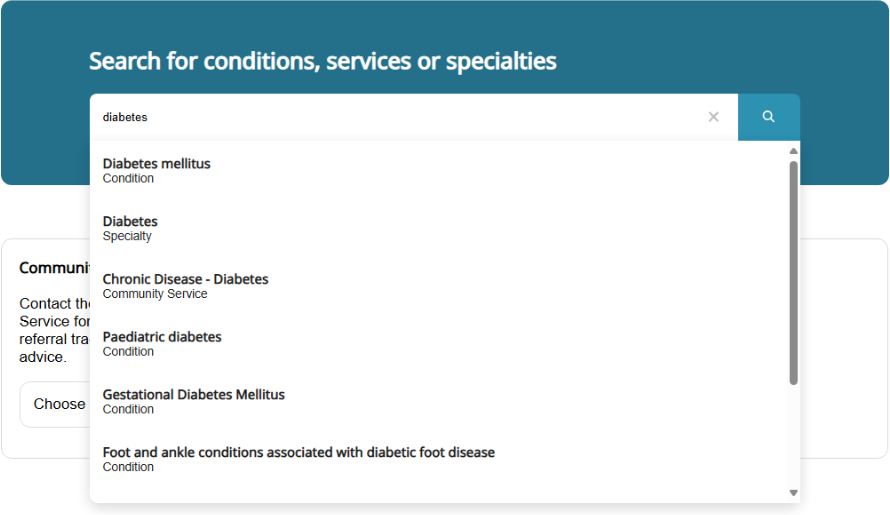
These have now been consolidated into a single smart search bar. You no longer need to know which category your referral falls under!
How it works
As you type, the search bar will suggest relevant options from all categories in a drop-down menu. For example, typing “diabetes” will now return all diabetes related options including the:
- ‘Diabetes’ Specialty
- ‘Paediatric diabetes’ Condition
- ‘Chronic Disease – Diabetes’ Community Service.
Simply select the referral category that best fits your patient’s needs.
Need help?
If you experience any issues using the new search, please contact the Metro South GP Liaison Officers on 1300 364 155 (option 2).